Join an event
Open any invite link, from WhatsApp or from Explore, and reply in a tap.
Open the event
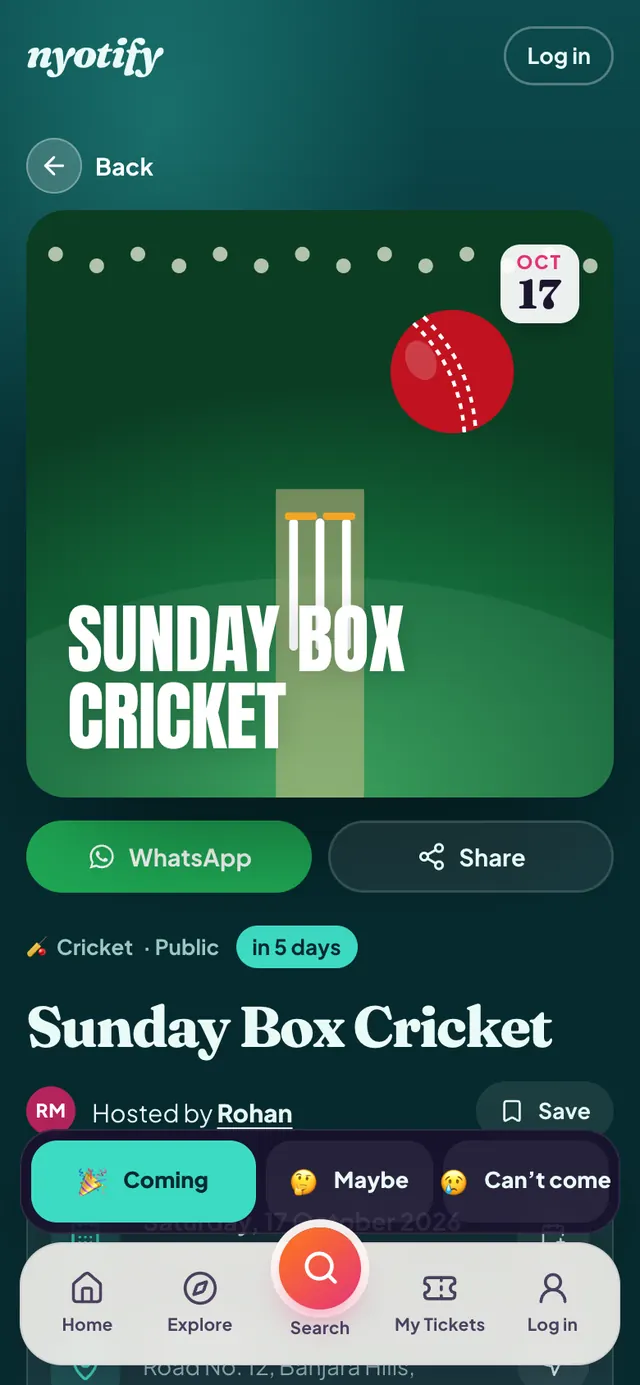
You’ll see the poster, date, time, venue, host and details. Tap the host’s name to see their profile and links.
Tap Coming
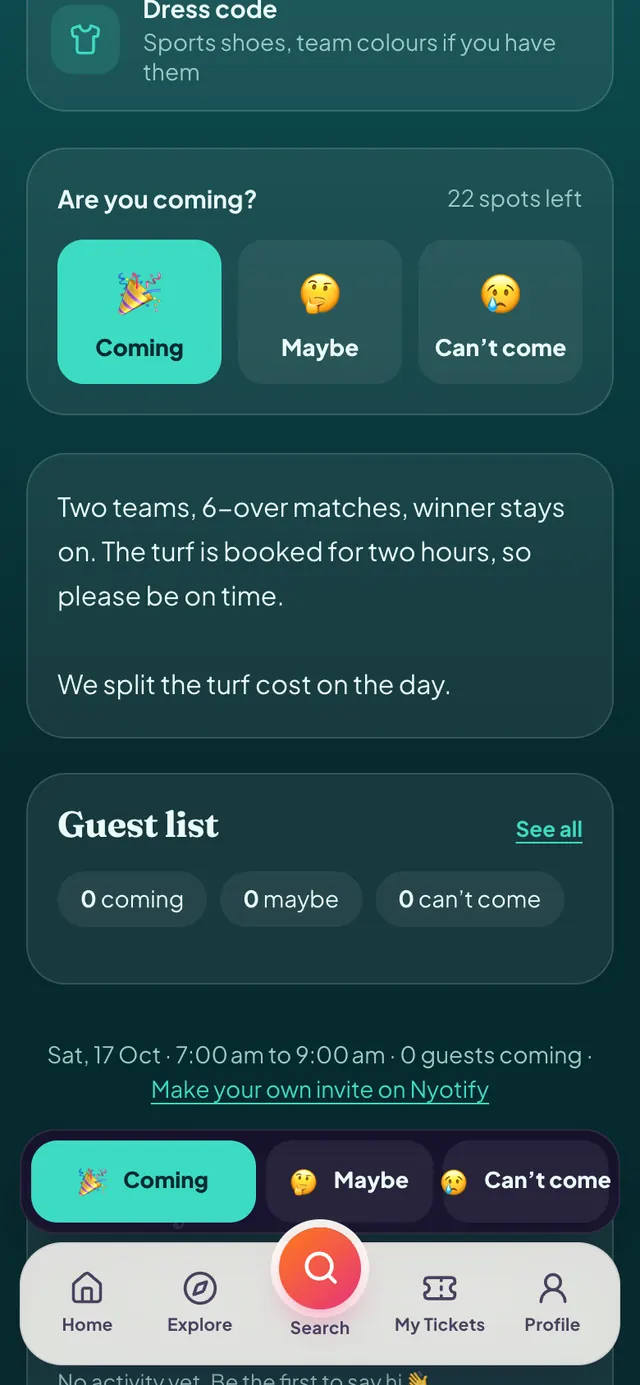
Choose Coming, Maybe or Can’t come. If the event has limited spots, you’ll see how many are left.
Add guests and send
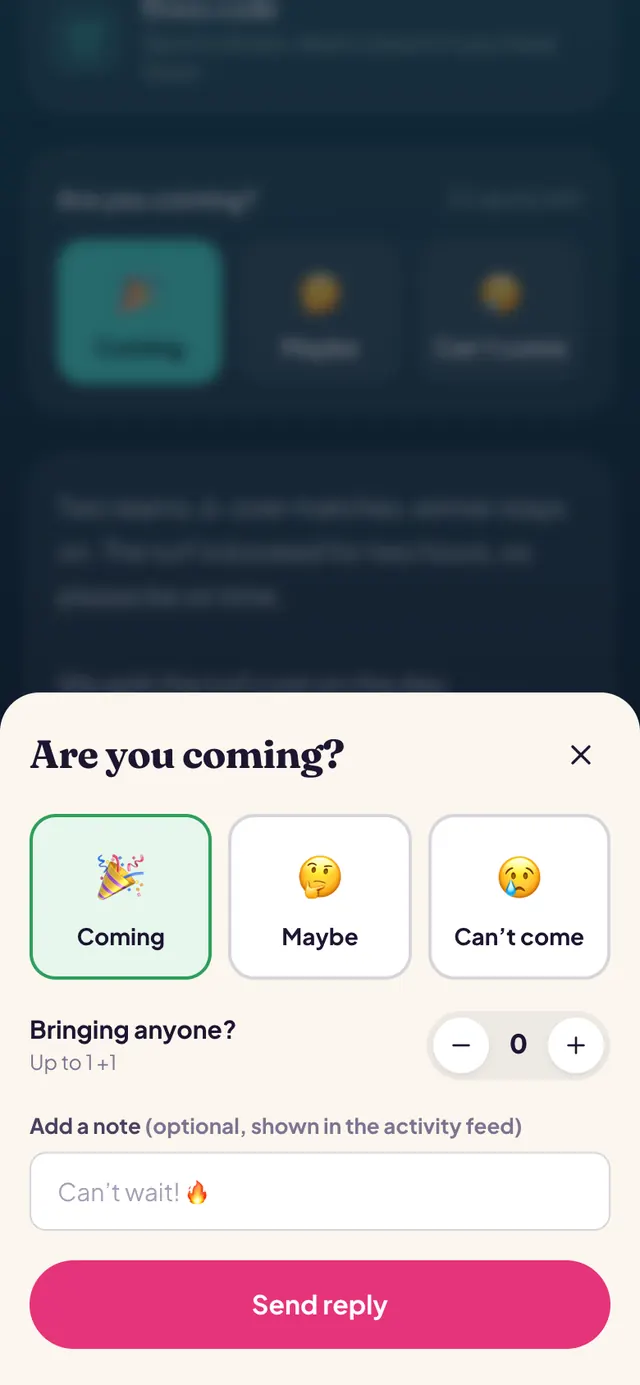
Bringing someone? Add them with the + button (up to the host’s limit), add a note if you like, then tap Send reply. For paid events you pay securely with UPI, cards or netbanking instead.
You’re going
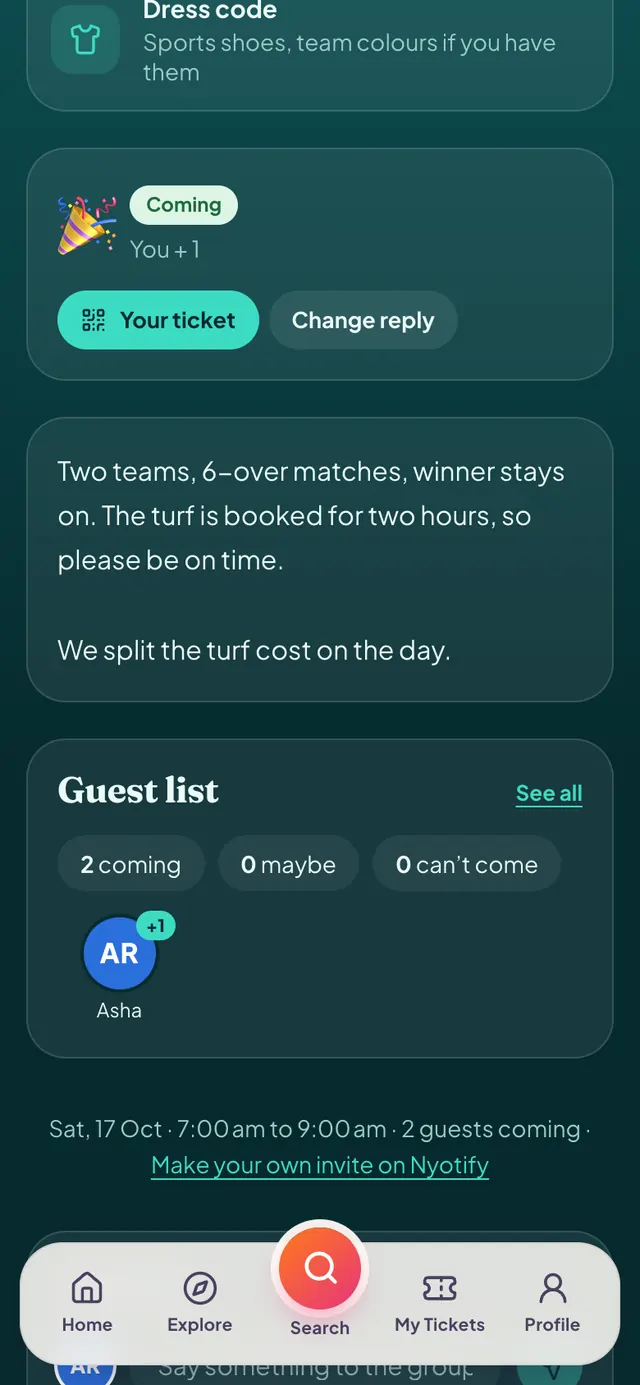
Your reply shows on the event, along with a Your ticket button. We also email you a confirmation with your ticket.
More help: Find events · Your tickets · All articles